TutorD
End-to-end product design for a K-12 tutoring platform — from stakeholder interviews and usability testing to high-fidelity wireframes and an interactive prototype.
Client
TutorD LLC
Academy
Prime Digital Academy
Role
UX/UI Designer & Researcher
Team
Japrie, Andrea, Tyler
Duration
May 2023 – Aug 2023
Methods & Tools
Organization
TutorD LLC (pronounced 'tutor dee') is on a mission to revolutionize the way students learn and succeed in the K-12 school system. Students from diverse backgrounds in urban settings face unique challenges that TutorD is dedicated to addressing head-on. TutorD wants to define a new wave of thoughtful, adaptive, equitable, and measurable learning experiences in the STEM field.
TutorD believes that the traditional school system is not equipped to deal with the individual needs of each student, and they are committed to providing a solution that respects and addresses these differences. TutorD uses their expertise in micro-learning and the spaced learning model to create a supportive environment for students, ensuring a successful and frustration-free educational journey.
Key Focus Areas
- 1Rostering — features like Add / Remove admins, teachers, students
- 2Add/remove organizations is also another key focus
- 3Generating/viewing reports which contain billing reports, teacher and student engagement levels, grades/scores
- 4Considering what the admin might be using the reporting page for, and who/how they will be showing these reports
- 5Ability to send links to scholarship providers
Stakeholder / Client Interview
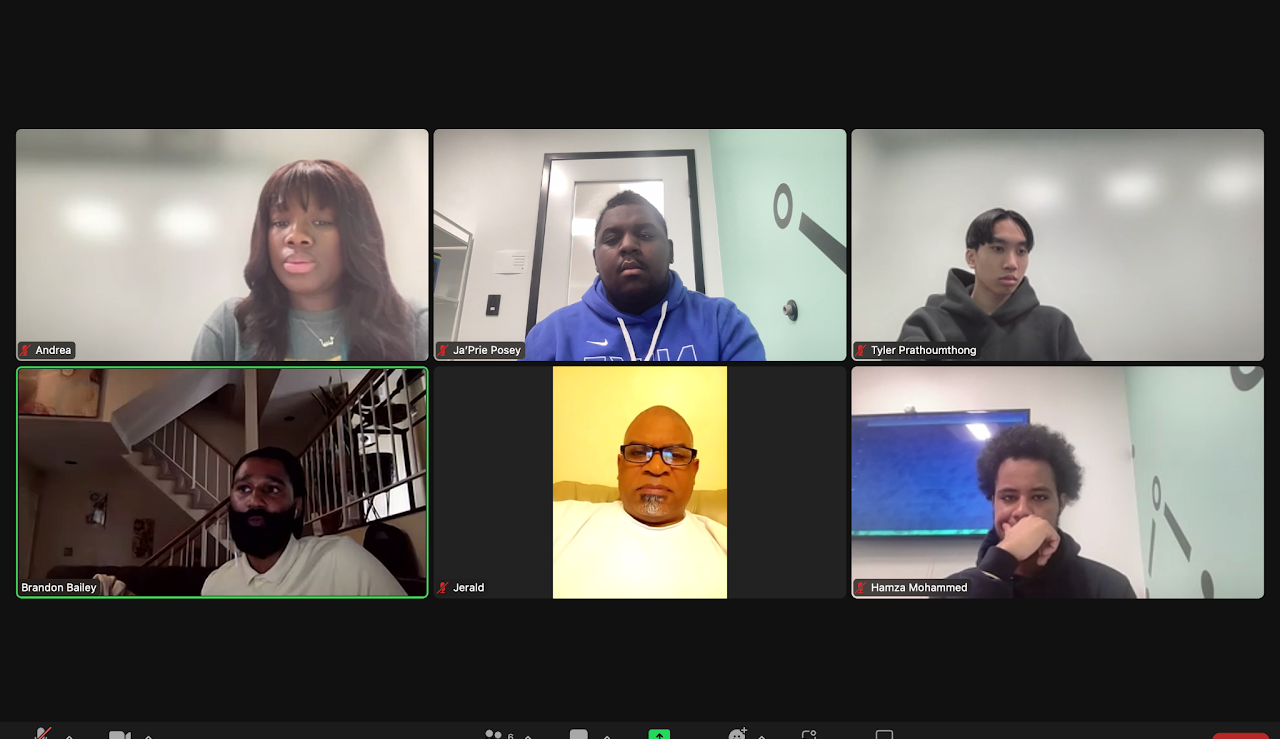
During our stakeholder/client interview, my team and I discussed key focus areas and the company's vision for TutorD in order to have a better insight so that we may make decisions that best align with our client's mental model. During this interview, we were brainstorming how we may go about the process of research leading up to the construction of TutorD.
Methods Decided
- Directed Storytelling
- Stakeholder/Client Interviews
- Information Architecture
- Remote Usability Testing
- Synthesizing
- Design Systems
- Low/Mid Wireframes
- Interactive Prototyping
Pre-Existing Resources
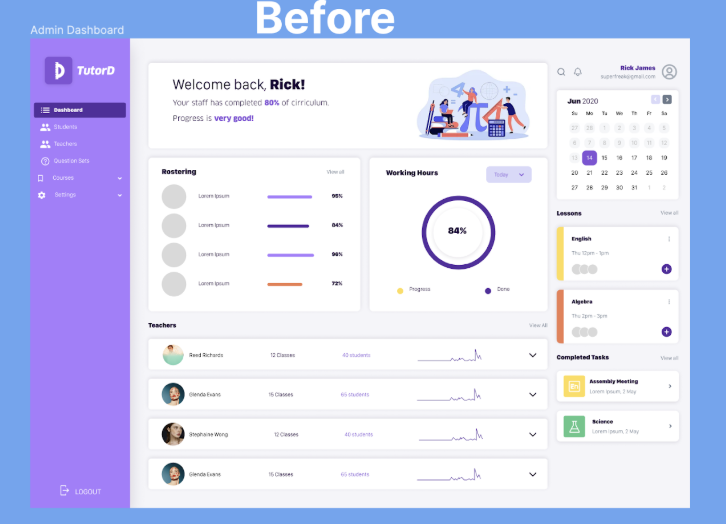
Resources Provided by TutorD
- Basic Admin Dashboard
- User Stories
- Onboarding Process for Teacher's pages
With this given information, my team and I used it to create the onboarding, basic dashboard, and our key focus area pages that we intended to conduct Usability Tests on. After gathering the pre-existing resources and creating the basic onboarding and dashboard, my team and I began constructing the Usability Test script for our Usability Tests.
Competitive Audit
During my competitive audit, we analyzed different educational platforms and how they structured their site. One competitor that stood out from the rest was Schoology — it shared many similarities with TutorD when it came to their targeted audience and their software's intended purpose.
Schoology
Emphasized the activities page where you're met with an activities page upon signing in — a key observation taken into the TutorD prototype.
Kahoot
Implemented an advanced reports area designed to track students' performance and progress.
Quizlet
Tracking, prioritizing, and mobilizing student progress page were displayed in a clear, accessible way.
Usability Testing
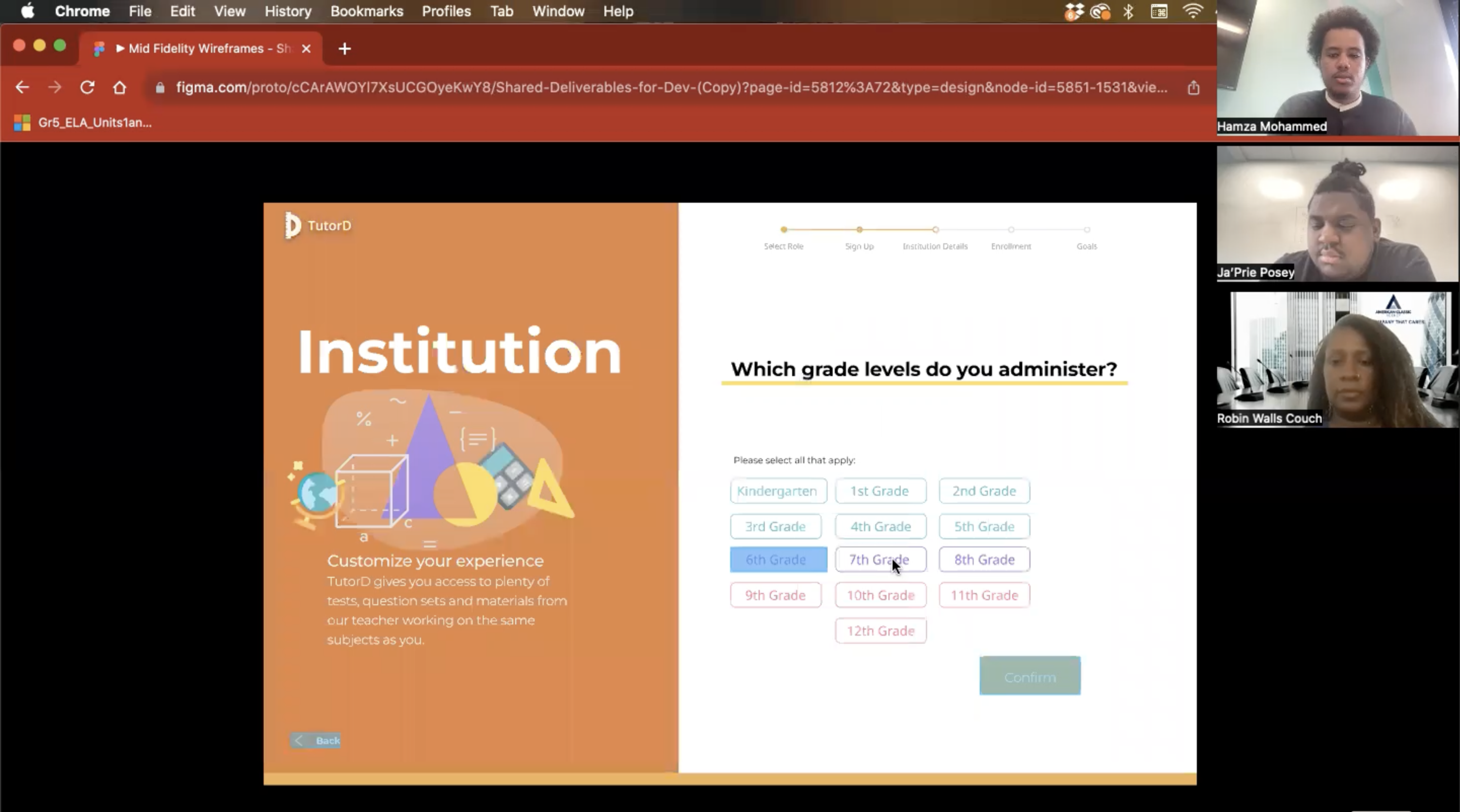
I, alongside my team conducted a total of four Usability Tests to evaluate our basic prototype with key focus areas being implemented. We took a different approach and continued to make changes each time we did Usability Tests to cover all the pain-points within our prototype.
Process
- Conducted Usability Tests
- Synthesized our findings
- Applied changes to prototype
Key Findings
- Participants wanted to see a progression status of individual students once viewing classrooms
- Participants wanted to compare quarter/quarter, year/year, month/month statistics for unit statistics
- Participants wanted a Classroom page that shows student data for the current school year
Synthesizing
The way we synthesized our Usability Tests was by creating four categories to organize and act on our findings:
Usability
Checking if the website was usable or not
Functionality
Checked if participants understood the purpose of dropdowns and buttons
Changes
Dedicated to areas that participants didn't like and wanted improved
Action Items
How we would implement changes to solve participant problems with the interface
Information Architecture
Key
About this diagram
After we constructed our key, we first began to create our entire information architecture based on our mental model. Our information architecture underwent changes due to our Usability Tests and Competitive Audit and so this information architecture was continuing to grow and improve throughout our process leading up to our high-fidelity wireframe.
Legend Key
Dashboard Navigation Structure
Key
About this diagram
This hierarchical diagram illustrates the complete Dashboard navigation structure for TutorD. Starting from the Dashboard hub, it branches into five primary sections (Staff, Reports, Classrooms, Calendar, Upcoming Task), each with their own nested sub-pages and actions — showing up to 5 levels of depth for the admin interface.
Legend Key
High Fidelity Wireframing
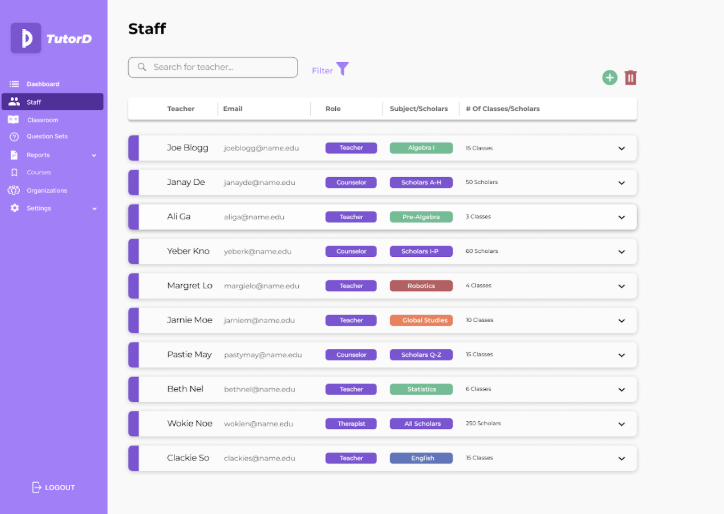
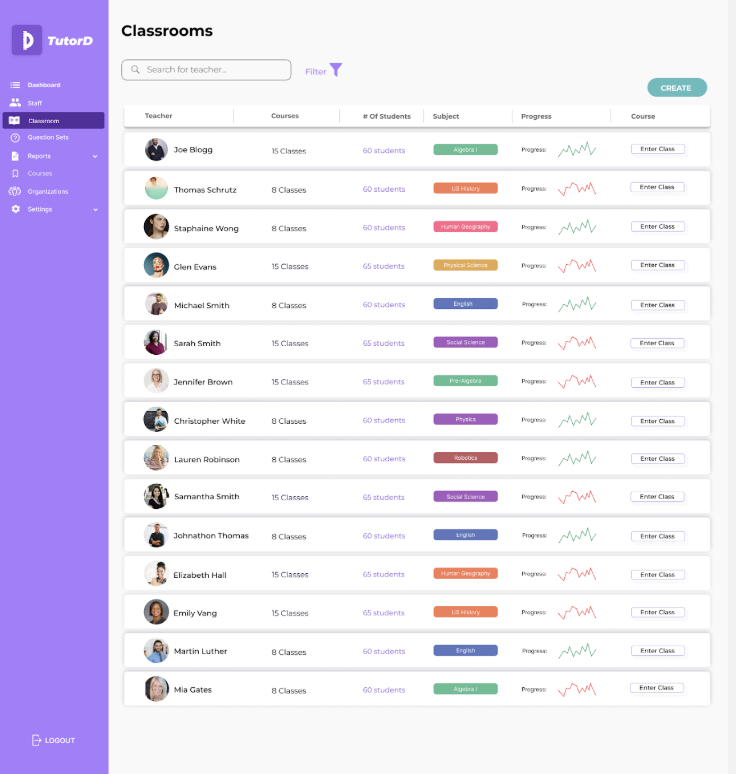
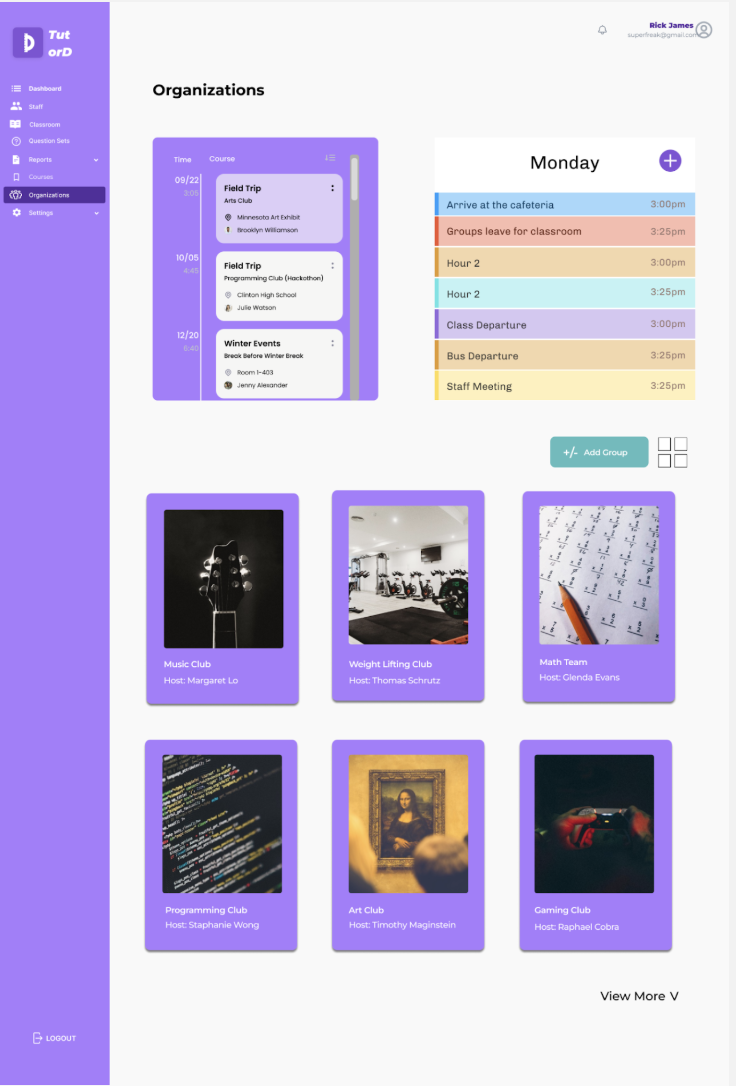
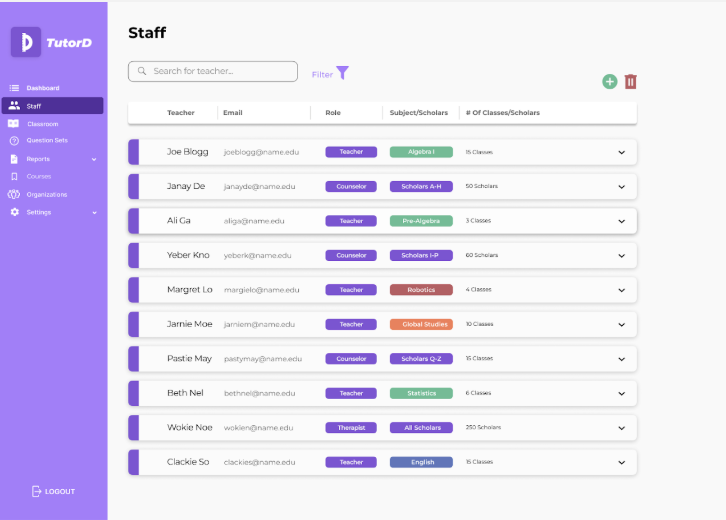
My Responsibilities
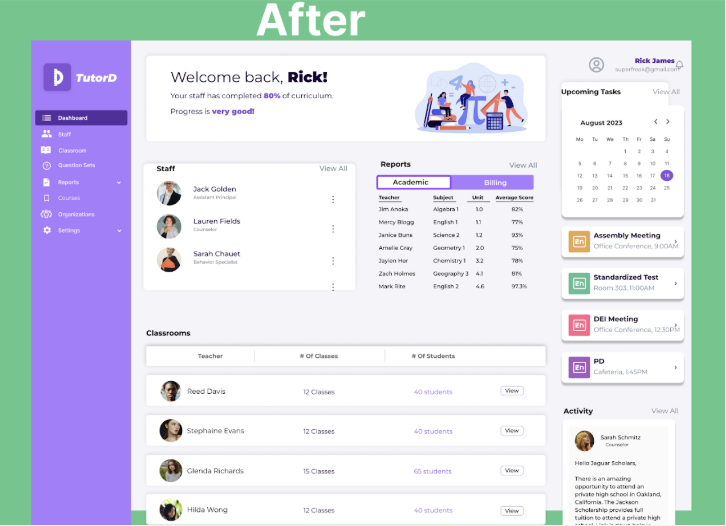
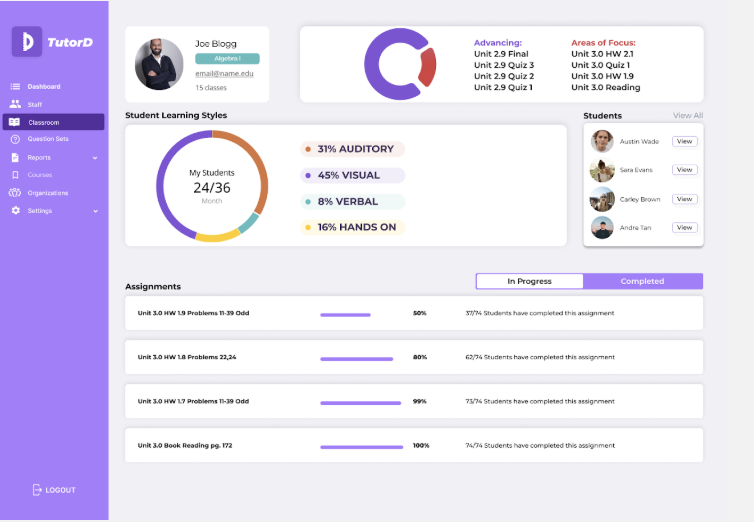
- Creating Classroom Page with full list of classrooms
- Creating dropdown and onHover states for Navigation
- Creating Organization Page
Key Insights Applied
- Applying a way where admin can see progress for each individual classroom without entering
- Adding an onHover to the progress bar where you can see a percentile of growth within each individual classroom
- Filling the row of each classroom so that admin get as much information as possible with a reduced amount of whitespace
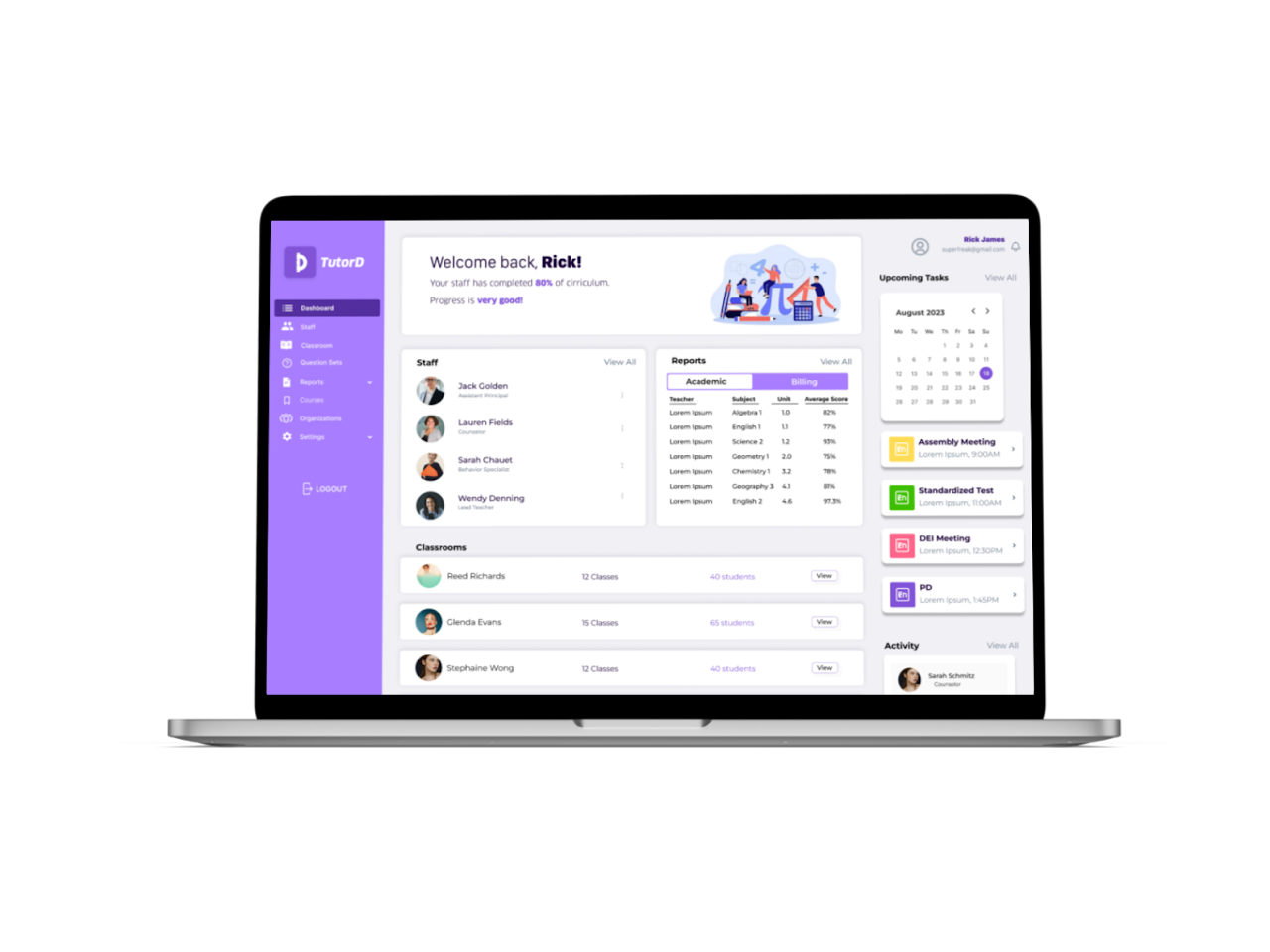
Prototype Walkthrough
Challenges
- 1Design styles — learning from each other across the team
- 2Set Design System — where pages lived and how to get there
- 3Finding Administrators for usability testing — wanted more feedback
- 4Updating the navigation — consistently changed with new pages
Next Steps
- 1Expanding on Unit Statistics — create more flows that collect and show data
- 2Creating dashboard functions for scholars, educators, and parents — giving users more freedom and control
- 3Expanding on the full user experience for other admin functions (question sets, courses, settings)
- 4Further usability testing with other administrators — the testing helped shape what we created
Explore More
View All Projects